Schedule your Mac to mute sound at night

mute

Last night my email client was on and my MacBook Pro’s volume was set to full volume (I was rocking out during a coding session earlier in the day) and every time my email client Sparrow got a new email it would chime an alert. Typically I welcome this alert but no at midnight, 1:15, 2:22, 3:45, 4:55. So the 4:55am one did help me wake up this morning but that’s beside the point.

I know I can somehow control the volume using applescript and I know I can assign a script to be kicked off at certain times by setting a scheduled even in iCal so I thought I should marry these to ideas and stop my Mac from bothering my wife an I at night.

Here is how I did it:

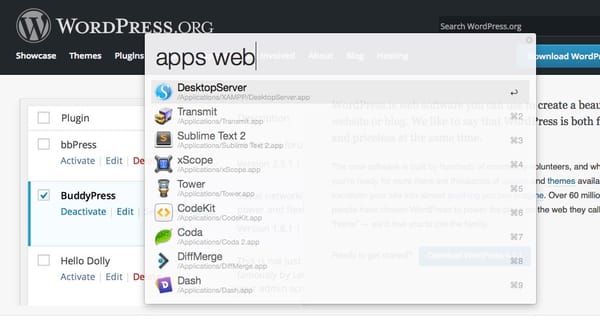
Open up the AppleScript Editor, I used Spotlight to do this…

Once you have that open type in the following:

set volume 0

You can test if this works by setting your volume to the max from the menu bar or on your keyboard. Now press the “Run” button and watch the magic happen.TaDa! Volume set to zero. Obviously we don’t want to run this script manually each time we want this to happen so let’s save this script to your Documents folder, I named mine “Mute Sound.scpt” and move on to iCal.

Close the AppleScript Editor and load up iCal.

If this automation thing is new to you I’d imagine you’ll be using this more and more,  go up to File and select New Calendar and then select “On My Mac”. Why “On My Mac”? well for me I sync all my calendars to my iPhone and iPad and I dont want to be alerted when my Mac is doing these automations so we’re making a mac specific calendar to house these. Set the name of this Calendar to be “Automation”.

After that right click on todays date and select “New Event” and name it “Mute Sound” then double click on it and select “Edit”.

From the edit screen set the time you want your computer to be muted, for me I set it for 10pm since I’m old and go to bed a decent hour most nights. Since I want this to happen “most nights”  you can set this to run say, Sunday through Thursday for 10pm like me then on Friday through Saturday set it for 11:59pm or whatever fits your schedule. To do the 2 tier’d scheduling just make 2 events. Anyhow, to kick off the Alert change the Alert to “Run Script” and then locate the “Mute Sound” script from your Documents folder.

Click apply and now you have your Mute Sound kicking off at the time you specified and now you won’t be bothered late at night.

In a later posting I’ll discuss how to use AppleScript and iCal to update my podcasts each morning so they are ready for me to listen to on my commute to work.

Let me know how this works for you in the comments below!


Squeezing a little bit more out of my 2006 iMac

4158XJRZPNL._SL500_AA300_

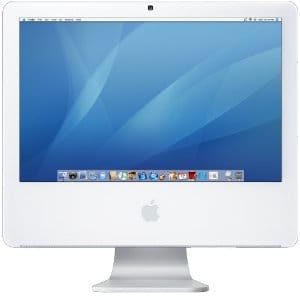
I have a 20″ iMac 5,1 it’s the late 2006 model with 2.16ghz core 2 duo processor that I’ve upgraded and tweaked and fangled as much as I could to get my money’s worth out of it. Back in 2007 I bought the computer with the intention of switching all the computers in my house to apple. Since I’m cheap I opted for a refurbished iMac and waited for the plain cardboard box that it came in to arrive in the mail. Once the machine arrived it started to kernel panic over and over, I called Apple and they told me to take it to an apple store at which time they replaced the main board. A two years later I had a problem with the harddrive which started clicking and finally failed, luckily I had a Time Machine backup which saved me. Apple replaced the hard drive under my AppleCare warranty. After that I upgraded the ram in the machine to 2gb, which later found out I could upgrade to 3gb. Just a few months ago I replaced the internal hard drive with a 1TB model to store my multimedia files. As you can see this machine has quite a bit of mileage and has served me well but I’d like to squeeze a bit more life out of it. You see earlier this year we bought my wife Jen a MacBook Pro since the kids are using the Mac Mini more and more. They fill the thing with iOS apps, music and iOS backups and fighting over occupying it 90% of the time. Since we just got Jen a new Mac I want to hold off on getting myself one for a bit and see if I can use this one until the wheels fall off, so here is my plan to extend its life for another year:

My goal is to speed the machine up as much as I can, by housing the OS and applications from this SSD drive and use the normal internal drive for file storage and such, the extra gig of ram will help some too. Luckily this machine is a 2.16ghz core 2 duo so that helps.

What are your thoughts on this? For just under $200 I’m extending the life of this poor machine I should have “flipped” a few years ago.